What Is the Address Bar?
The address bar is the long box across the top of a web browser window. It shows the address of the web page you are on, such as usa.gov. You can click inside it and type a website's address to go to that website.
What it looks like
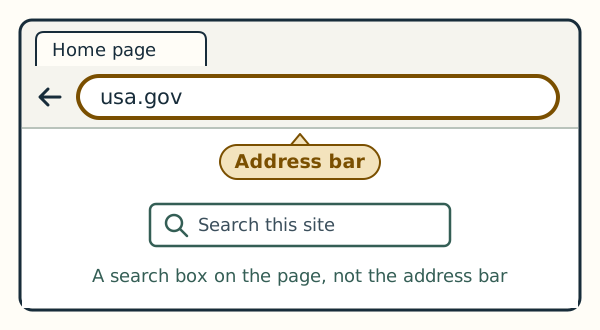
The address bar is near the top of the browser window, close to the row of tabs. Some web pages have their own search box lower down, inside the page. That box belongs to the website and is not the address bar.
On Windows and on a Mac
In Microsoft Edge on Windows 11, the address bar is the long box in the row below the tabs. In Safari on a Mac, it is the wide box in the toolbar across the top of the window. Apple's own help calls it the Smart Search field.