What Is the Text Cursor?
The text cursor is a thin upright line that blinks inside a box or document. It shows where the words you type will appear. It appears when you click inside a place where you can type.
What it looks like
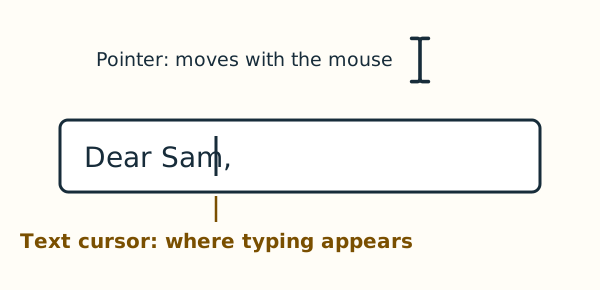
The text cursor stands between two letters or at the end of the words, blinking on and off. It stays where you clicked, even when you move the mouse away. The pointer can also look like a thin line over words, but it moves with the mouse and does not blink.
On Windows and on a Mac
It works the same way on both computers; only the name differs. Windows 11 settings call it the text cursor. Apple's help for the Mac calls it the insertion point.