What Is the Pointer on a Computer Screen?
The pointer is the small arrow on the screen that moves when you move the mouse, or slide a finger on the touchpad or trackpad. You point at something with it before you click. Its shape changes to show what clicking there will do.
What it looks like
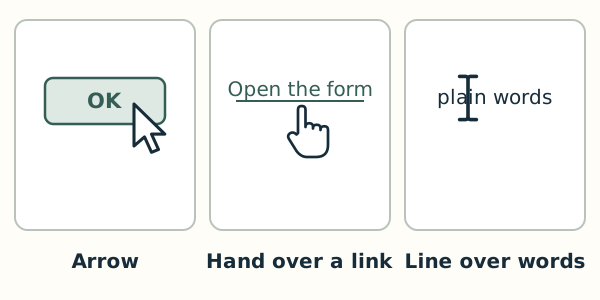
Most of the time the pointer is an arrow. Over a link, it becomes a hand with a pointing finger. Over words, it becomes a thin upright line shaped like a capital I. The pointer is not the text cursor, the blinking line that shows where typing will appear.