What Does the Three Dots Button Mean?
A button drawn as three dots opens a menu of more choices. Apps and websites use it to keep extra commands, such as Print or Settings, out of the way until you need them. Clicking the dots opens the menu, and clicking an empty spot away from the menu closes it.
What it looks like
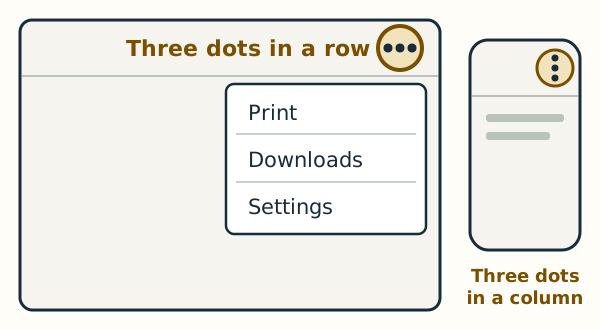
The dots stand in a row (•••) or in a column (⋮). They are usually near the upper-right corner of a window, a page or a box. In many apps, holding the pointer still over the dots shows the button's name.
On Windows and on a Mac
In Microsoft Edge on Windows 11, the three dots in a row at the upper right are named Settings and more. They open Edge's main menu, with choices such as Print, Downloads and Settings. On a Mac, Safari and many other apps keep their main commands in the menu bar at the top of the screen instead, though you may still see three dots on some websites and in some apps. Google Chrome, on either computer, shows its three dots in a column at the upper right, named More. On an Android phone, the three dots usually stand in a column at the top right.